
Running AI On My Own Rig: The Journey So Far

Updated: Aug 22
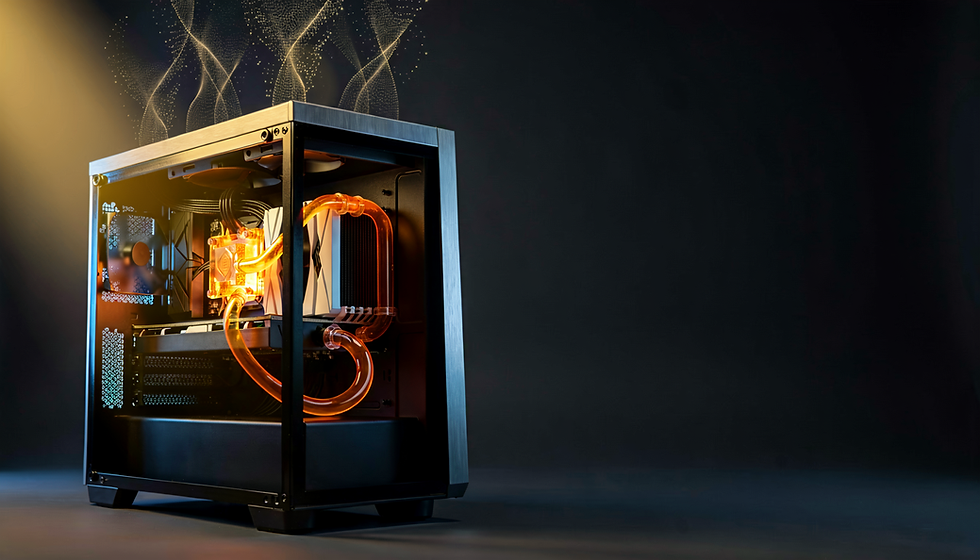
I build PCs for a living, so people assume I had an easy time getting a full AI stack running on my own machine. I did not. It was a grind. And honestly, that is exactly why I wanted to write this up - because the "just install it and go" story you see everywhere online is a lie, and I would rather show you the real thing. Barriers, dead ends, the fixes that actually worked, all of it.
If you have been thinking about running AI locally instead of renting it from someone else's servers, this one is for you!
Why bother running it local?
Quick version: I do 3D art and I do it a lot. Overnight renders, big image work, the whole deal. Sending all of that up to a cloud service means paying by the month forever, waiting on someone else's queue, and handing my work off to a server I do not control. Running it on my own hardware means it is mine. No subscription creep, no data leaving the house, and I can push it as hard as the silicon will let me. The catch is that "on my own hardware" means I am the tech support. Nobody is coming to fix it. So let me walk you through what it actually took.
The machine it lives on:
This all runs on RIG02, which is the workhorse I built for exactly this kind of abuse. The short list: a Ryzen 9 5950X, an RTX 3090 with 24GB of VRAM, and 128GB of system RAM. It is on a full custom water loop because I run this thing hot for hours at a time and I would rather not listen to it scream.
That 24GB of VRAM number matters more than anything else here, and I will come back to it, because it turned into one of my biggest headaches.
Barrier one: I nuked my own install.
First real wall I hit was self-inflicted. My agent framework install got corrupted partway through a setup and I spent way too long trying to surgically repair it before I admitted defeat and tore the whole thing down to rebuild from scratch. Lesson I keep relearning in this field: sometimes the fastest fix is the one your ego does not want. A clean rebuild took less time than the two days I spent trying to save a broken one. Now I keep my configs and paths documented so a rebuild is annoying instead of catastrophic.
Barrier two: the Python version trap.
This one is sneaky and it will get a lot of you, so pay attention. I had Python 3.14 on the system - newest and greatest, right? Turns out the web interface I wanted to run (Open Web UI) does not play nice with a bleeding-edge Python version. Stuff just would not start, and the errors were not exactly holding my hand about why. The fix was to stop fighting it and run that piece inside Docker instead. Docker is basically a sealed little box that carries its own correct Python version with it, so it does not care what I have installed on the main system. Problem solved, and as a bonus that piece is now way easier to update or wipe without touching the rest of my setup. If you are new to this: the newest version of something is not always the compatible version. Check what the software actually asks for before you go chasing the shiniest release.
Barrier three: my own firewall was the saboteur.
This is my favorite one because it made me feel insane for a bit. My agent tried to update itself and the update kept dying halfway through, leaving me with a half-broken mess. No obvious reason. Nothing in the logs screaming at me. Turns out my network security tool (simplewall) was silently blocking the connection the updater needed. My own defenses were the thing breaking my software. Once I figured out simplewall was the culprit and let the connection through, it updated clean on the first try. Moral of the story: when something that needs the internet mysteriously cannot reach the internet, check your firewall before you check anything else. I did it in the wrong order and it cost me an afternoon.
Barrier four: 24GB is a lot until it isn't.
Back to that VRAM number. Here is the thing nobody tells you - the big language model and the image generation model both want to live in that same 24GB of video memory, and they do not share nicely. Try to run both at once and you run out of room, everything crawls, and you start getting garbage results. My fix is a simple habit rather than fancy software. Before I fire up the image generation side, I run one command to kick the language model out of memory, then I check with a monitoring tool to confirm the VRAM is actually clear before I load the heavy diffusion model. Boot one out, load the other in. It sounds primitive because it is, but it works every time and it beats crashing halfway through a render. If you are shopping for a rig to do this kind of work, this is the real argument for more VRAM. It is not about bragging numbers. It is about how much you can hold in memory at once before you have to start playing musical chairs.
Barrier five: not every add-on fits your model.
Last big one. In the image generation world there are these small add-on files called LoRAs that tweak the style or subject of what you generate. I had a pile of them from the previous generation of the model (FLUX.1). When the new generation dropped (FLUX.2), I assumed my old add-ons would just carry over. They do not. The two model generations are built differently under the hood, so the old add-ons simply do not fit - it is a square-peg, round-hole situation at the math level. Worse, the software did not always fail cleanly when I tried. It would sometimes keep going with a corrupted state, which on limited VRAM is a great way to waste twenty minutes and get nothing usable.
The fix was just accepting reality: match your add-ons to your exact model generation, and do not force the mismatched ones. Once I stopped fighting that, the test work I was doing cleaned right up.
Where it landed.
After all that, here is what actually works day to day. I can generate high-resolution image work locally with a top-tier model, I can run a capable language model as a local assistant, and I have an agent framework tying it together with web search when it needs current info - all without a single dollar going to a subscription and without my work leaving my desk. Was it worth the headaches? For me, absolutely. Every one of those barriers taught me something I now use when I am building for other people. When a client tells me they want a machine that can do this kind of local AI work, I am not guessing - I have already broken it and fixed it myself. That is the whole point of Ryan's Rigs, honestly. I do not want to sell you a spec sheet. I want to build you something I already know how to push to its limit.
The full deployed stack:
For anyone who wants the actual parts list, here is everything running on RIG02.
The hardware
CPU: AMD Ryzen 9 5950X
GPU: NVIDIA RTX 3090 (24GB VRAM)
RAM: 128GB DDR4
Motherboard: Gigabyte X570S AERO G
Cooling: full custom EKWB water loop
OS: Windows 11 Pro
Image generation
ComfyUI (Portable install)
FLUX.2 Klein (fp16) as the main image model
Mistral 3 Small as the text encoder
flux2-vae for the final image decode
rgthree Power LoRA Loader for stacking add-ons
Local language model
Ollama as the model runner
qwen3.6:27b (the dense version, which I found more reliable for agent work than the MoE variant)
Interface and agent layer
Open Web UI running inside Docker (the chat interface)
Hermes Agent v0.17.0 (the agent framework)
hermes_bridge.py running on local port to connect the pieces
DDGS as the web search backend
Supporting tools
Docker Desktop (to sandbox Open Web UI)
simplewall for network management (yes, the same one that fought me - it is genuinely useful once configured)
nvidia-smi for watching VRAM in real time
If any of this sounds like the kind of machine you want on your own desk, that is exactly what I do. Reach out and let's talk about a build!

Comments